Back Office
Where your operations team works: staff access, administrator roles and permissions, and a searchable list and a card for every user, wallet and transaction.
- Back office
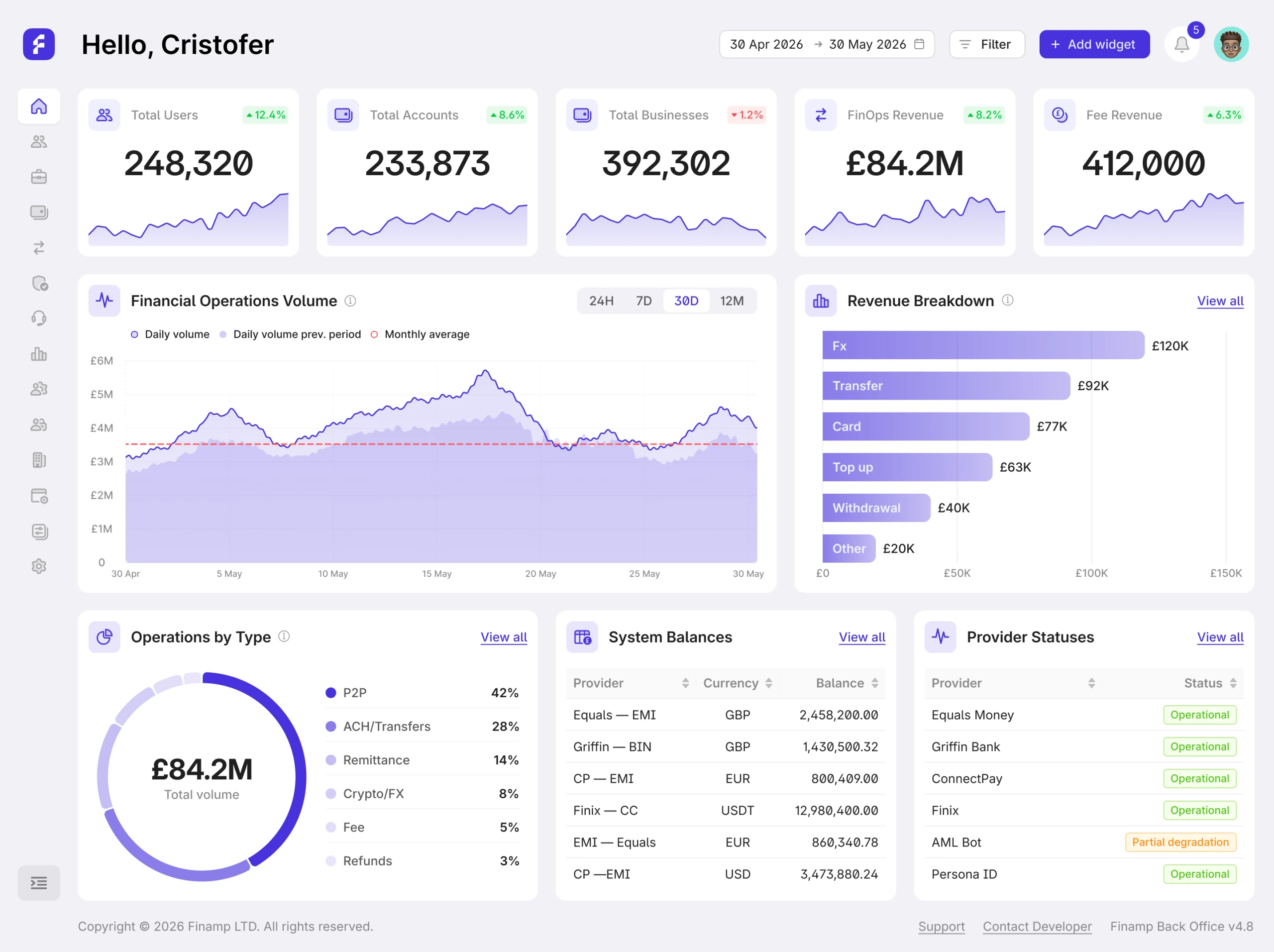
Built for operations
Control over access, users and money
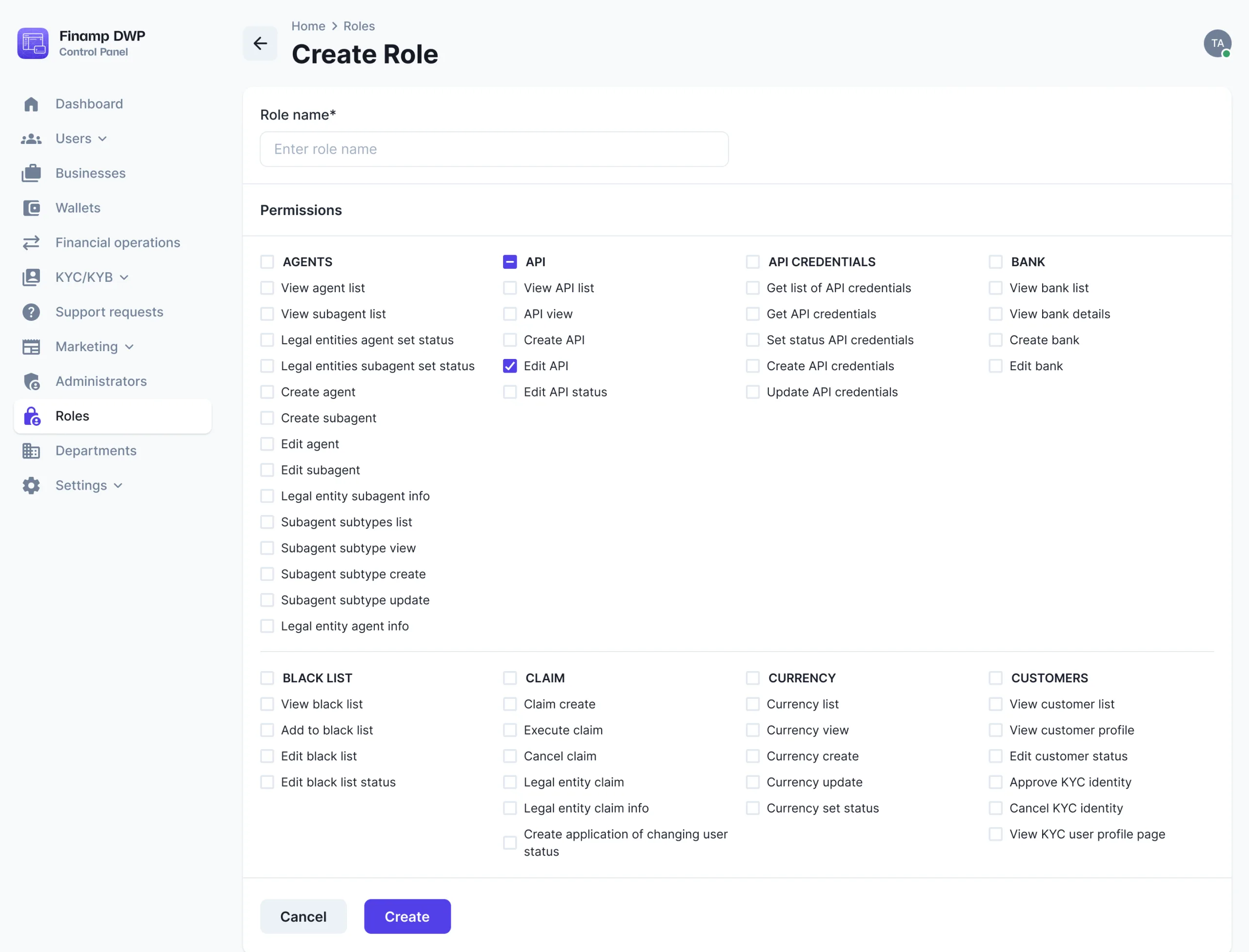
Administrator roles and permissions
Define the roles back-office staff can hold, set what each role can see and do, and add, update or remove administrators.
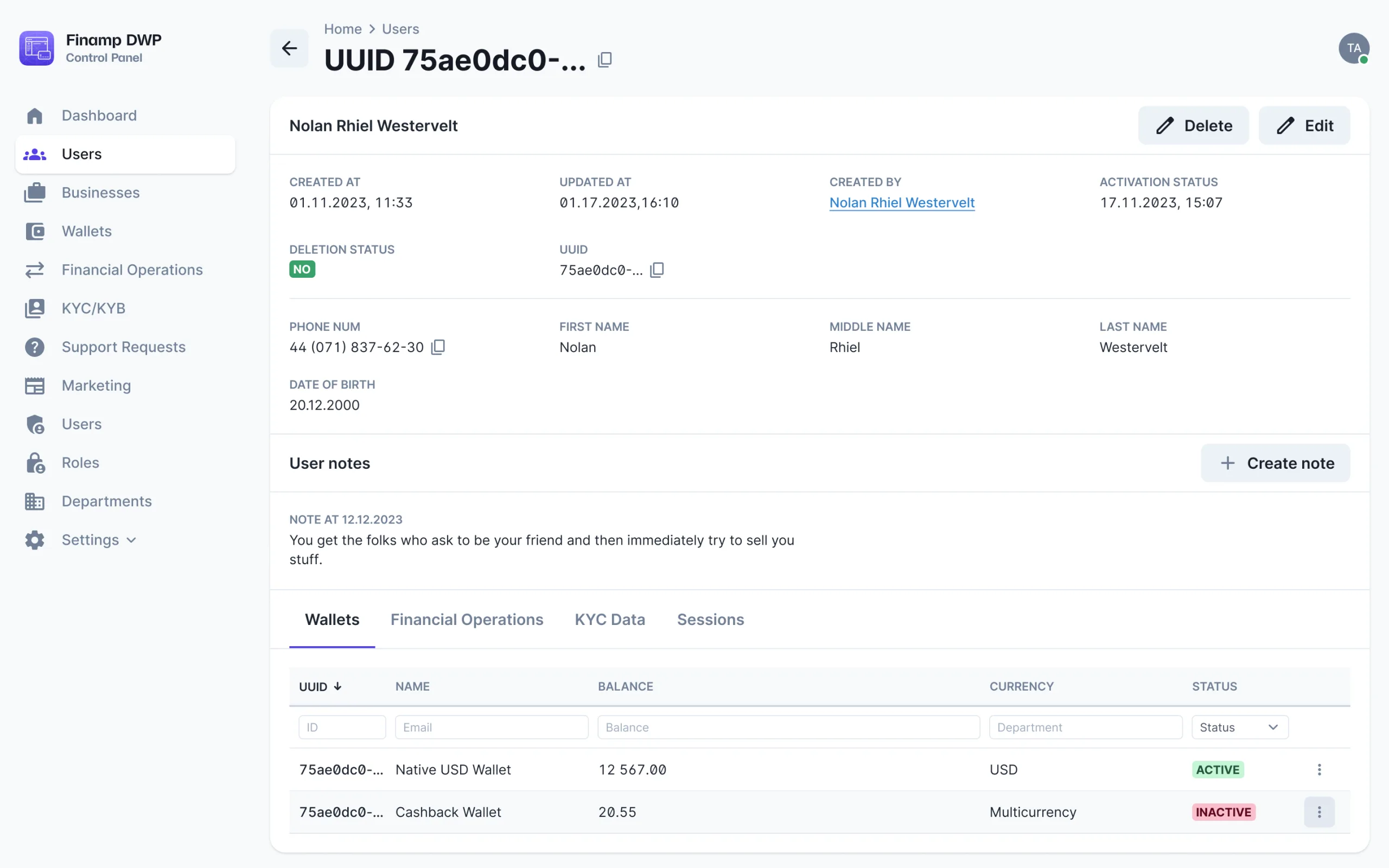
A card for every user
Staff find any end user in a searchable, filterable list and see their details on a single card. Business users get the same.
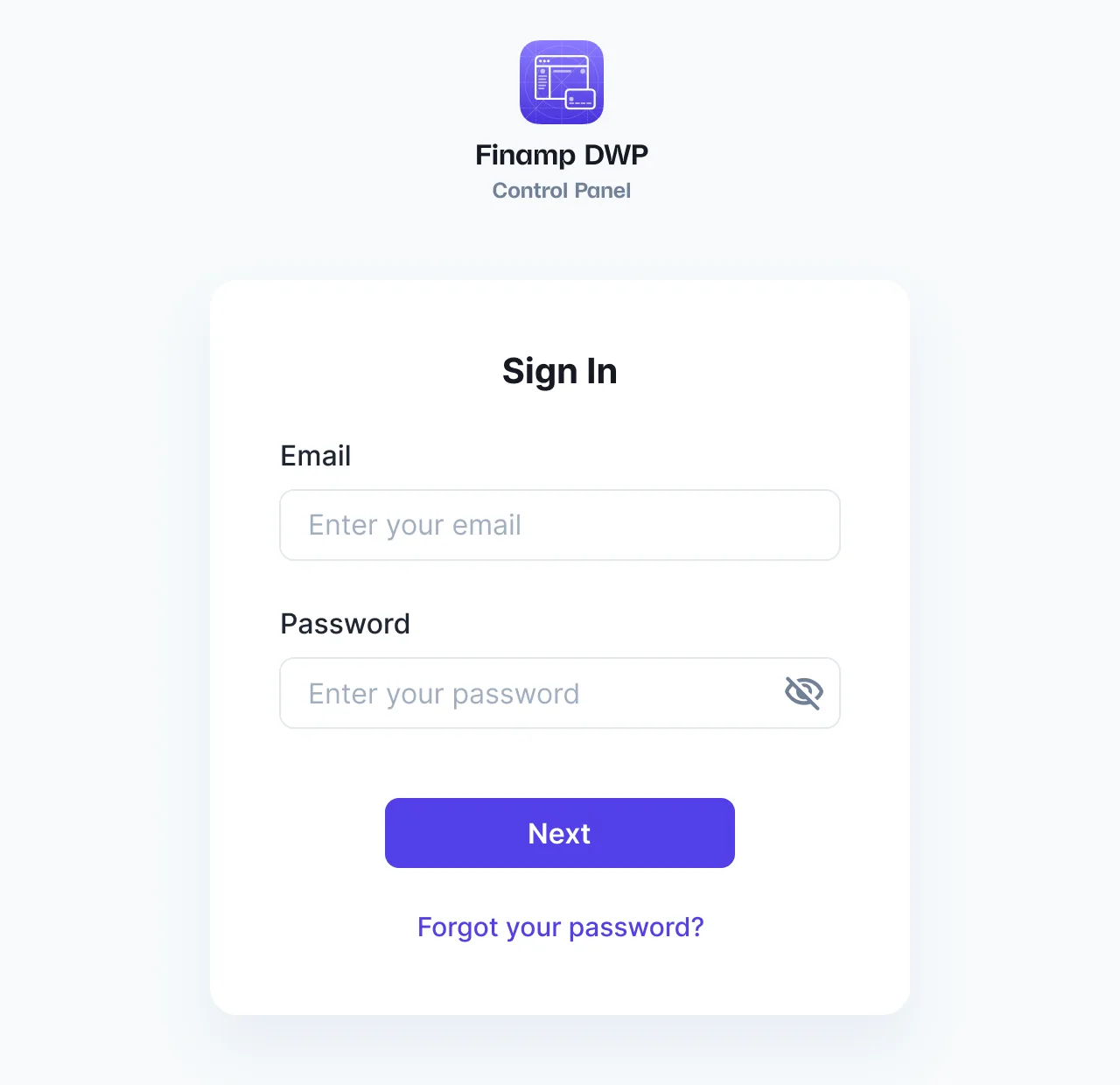
Staff sign-in by email
Staff sign up and sign in by email, confirm their email with a one-time code, and reset or restore their password by email.
coming from the materials brief
Platform-wide settings
Brand and theme, fees and routing, integrations and other platform settings are managed from the back office.
Checklist
All 13 Back Office features
Where each one is available. The full feature list covers every module.
| Feature | Back office |
|---|---|
| Staff sign-up by emailBack-office staff create their accounts with an email address. | Back officeAvailable |
| Email OTPStaff confirm their email address with a one-time code. | Back officeAvailable |
| Login by emailStaff sign in to the back office with their email address. | Back officeAvailable |
| Reset password by email OTPStaff change their password after confirming a one-time code sent by email. | Back officeAvailable |
| Restore password by email OTPStaff who forget their password restore it with a one-time code sent by email. | Back officeAvailable |
| Administrator list with search and filtersFind any administrator in a searchable, filterable list. | Back officeAvailable |
| Administrator cardSee an administrator’s details on a single card. | Back officeAvailable |
| Create, manage and delete administrator rolesDefine the roles back-office staff can hold. | Back officeAvailable |
| Create, manage and delete administratorsAdd, update and remove back-office administrators. | Back officeAvailable |
| PermissionsSet what each administrator role can see and do. | Back officeAvailable |
| End-user list with search and filtersStaff find any end user in a searchable, filterable list. | Back officeAvailable |
| End-user cardStaff see an end user’s details on a single card. | Back officeAvailable |
| Platform managementPlatform-wide settings, managed from the back office. | Back officeAvailable |
Across the product
22 more back-office features, in their own modules
Staff also review verifications, manage wallets and transactions, handle business users and support requests, and set fees, content, brand and integrations.

| Feature | Back office |
|---|---|
| Session historyStaff see every session a user has opened: device ID and model, start and end time, and status. | Back officeAvailable |
| Feature | Back office |
|---|---|
| Verification queue with search and filtersStaff work through KYC and KYB requests in a searchable, filterable list. | Back officeAvailable |
| KYC/KYB review cardStaff review each verification request on a single card with its submitted data. | Back officeAvailable |
| Tier management: limits and permissionsStaff define verification tiers and the limits and permissions attached to each one. | Back officeAvailable |
| External KYC provider settingsStaff manage the connection to the external KYC provider from the back office. | Back officeAvailable |

| Feature | Back office |
|---|---|
| Wallet list with search and filtersStaff find any wallet in a searchable, filterable list. | Back officeAvailable |
| Wallet cardStaff see a wallet’s details on a single card. | Back officeAvailable |
| Wallet managementStaff manage wallets from the back office. | Back officeAvailable |
| Feature | Back office |
|---|---|
| Transaction list with search and filtersStaff find any transaction in a searchable, filterable list. | Back officeAvailable |
| Transaction cardStaff see a transaction’s details on a single card. | Back officeAvailable |
| Transaction management: reported, reversed, cancelledStaff handle reported transactions and reverse or cancel them. | Back officeAvailable |

| Feature | Back office |
|---|---|
| Business user list with search and filtersStaff find any business user in a searchable, filterable list. | Back officeAvailable |
| Business user cardStaff see a business user’s details on a single card. | Back officeAvailable |
| Create, manage and delete business usersStaff create, update and delete business users from the back office. | Back officeAvailable |

| Feature | Back office |
|---|---|
| Fee and routing managementStaff set fees and routing rules from the back office. | Back officeAvailable |

| Feature | Back office |
|---|---|
| Support request list with search and filtersStaff find support requests in a searchable, filterable list. | Back officeAvailable |
| Support request cardStaff review each support request on a single card. | Back officeAvailable |
| Article list with search and filtersStaff find articles in a searchable, filterable list. | Back officeAvailable |
| Create, edit and publish articlesStaff write, edit and publish articles in the marketing CMS. | Back officeAvailable |
| Article managementStaff manage the articles already created. | Back officeAvailable |

| Feature | Back office |
|---|---|
| Brand and theme settingsStaff set the product’s look and feel from the back office. | Back officeAvailable |
| Feature | Back office |
|---|---|
| Integration managementStaff manage the product’s third-party integrations from the back office. | Back officeAvailable |
Case studies
Products built with these features


Related modules
Modules that work with this one

KYC/KYB Verification
Verification tiers, statuses and permissions, an external KYC provider and a back-office review queue.

Transactions & Receipts
History, search and filters, PDF receipts, reporting and reversals, and spending by category.

Integrations Hub
The providers behind the product, connected and managed from the back office.
From the blog
Further reading



Frequently asked questions
Your own staff, each with the administrator role and permissions you give them.
Yes. Administrator roles carry permissions that set what each role can see and do.
End users, business users, wallets, transactions, KYC and KYB requests, support requests, articles, fees and routing, integrations, brand settings and other platform settings.