Wallets & Account Holders
Wallets with their own account details, default and shared wallets, permissions on who can do what, and the account holders who own them.
- Individual app
- Business app
- Back office
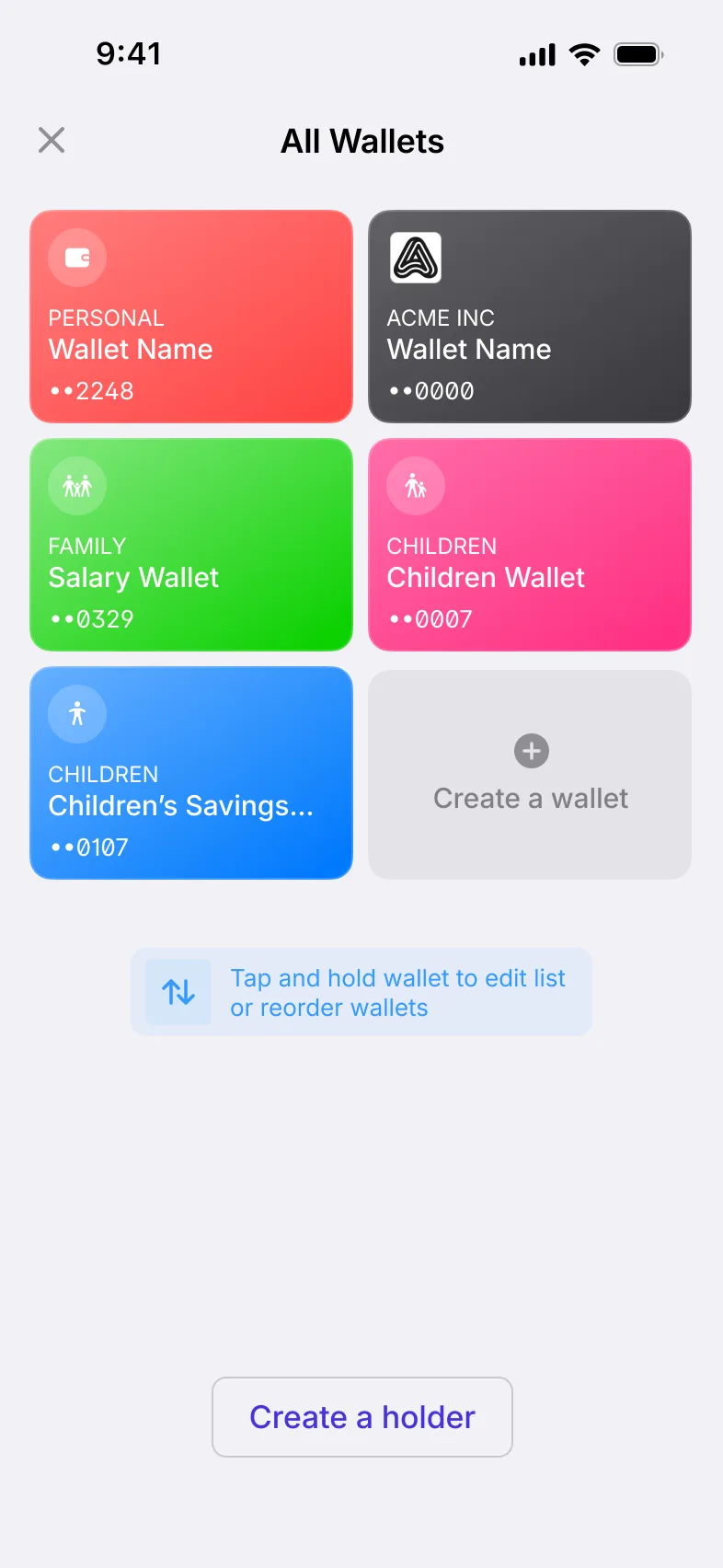
How wallets work
Holders own wallets, and wallets can be shared
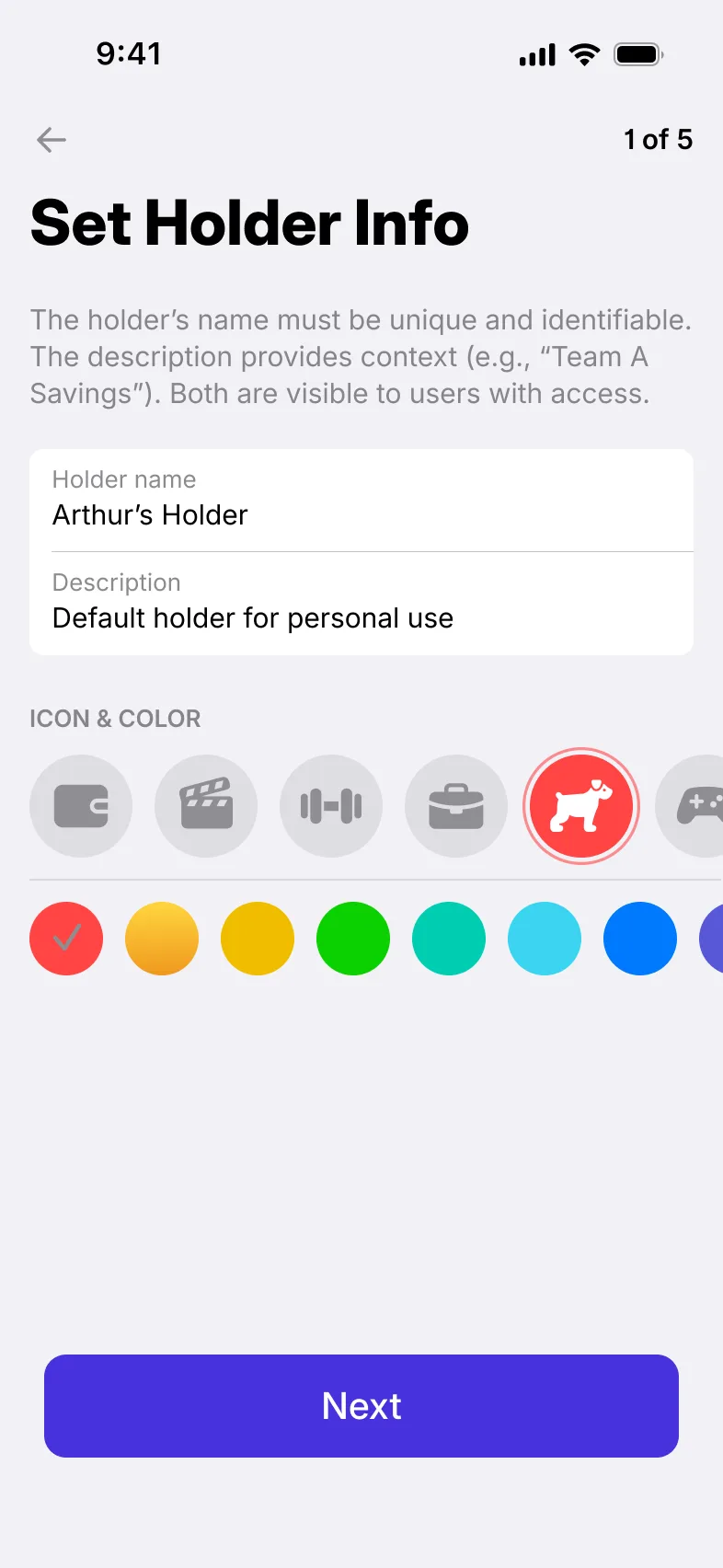
Account holders and their wallets
An account holder is the person or business that owns wallets. A holder can have several wallets, with one set as the default.
Users open new wallets and manage their account holders inside the app.
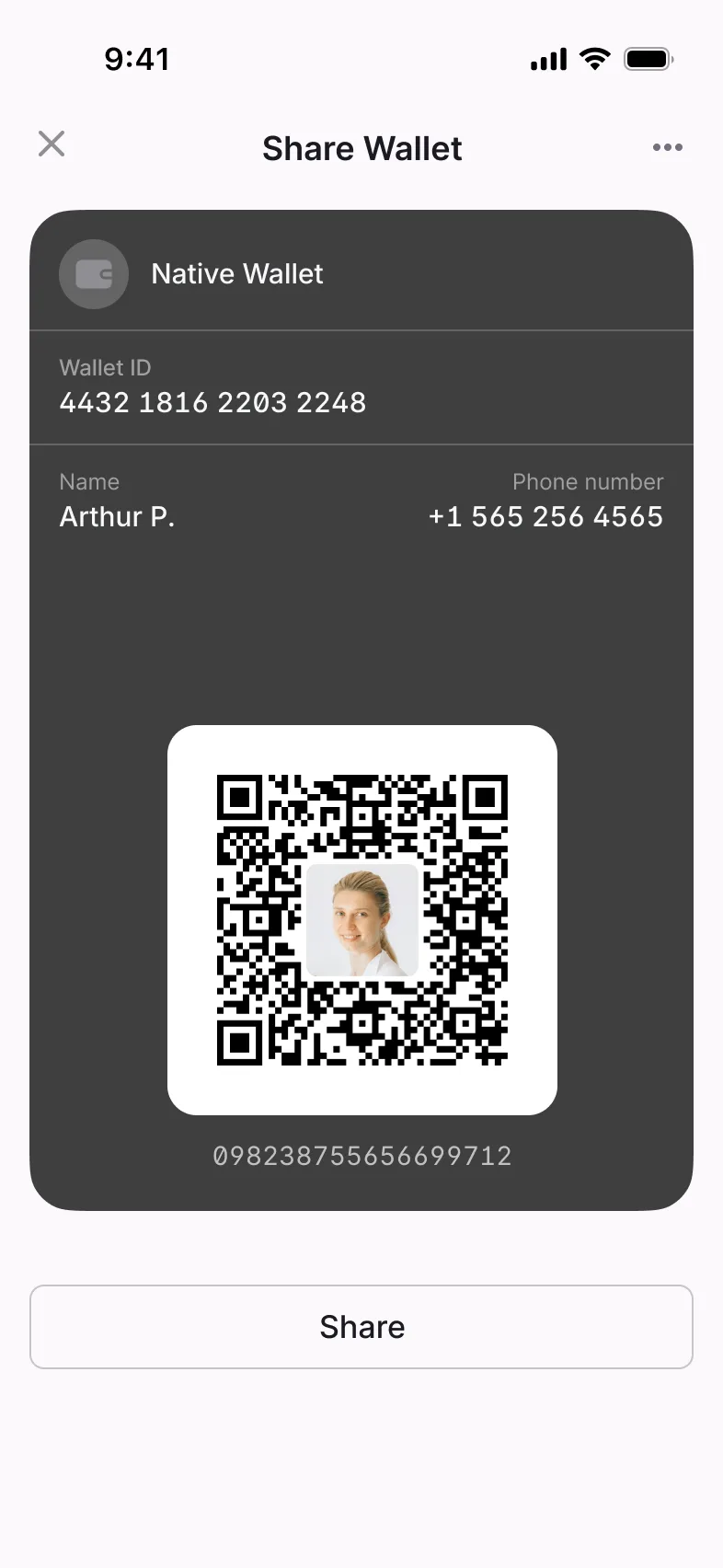
Shared wallets, with permissions
Users share a wallet with other people, such as family members or colleagues. Wallet permissions control who can see and use it, and what they can do with it.
coming from the materials brief
Account details for every wallet
Each wallet has its own account details that users share to receive money, and its own screen with its information.
coming from the materials brief
Block or close, in the app or the back office
Wallets can be blocked or closed when they should no longer be used. Staff find any wallet in a searchable list, see it on a single card and manage it from the back office.
Checklist
All 12 Wallets & Account Holders features
Where each one is available. The full feature list covers every module.
| Feature | Individual app | Business app | Back office |
|---|---|---|---|
| Create a walletUsers open new wallets inside the app. | Individual appAvailable | Business appAvailable | Not available |
| Wallet informationEach wallet has its own screen with its details. | Individual appAvailable | Business appAvailable | Not available |
| Wallet account detailsEach wallet has account details that users share to receive money. | Individual appAvailable | Business appAvailable | Not available |
| Default walletsUsers set which wallet is used by default. | Individual appAvailable | Business appAvailable | Not available |
| Wallet permissionsControl who can see and use a wallet, and what they can do with it. | Individual appAvailable | Business appAvailable | Not available |
| Block or close a walletWallets can be blocked or closed when they should no longer be used. | Individual appAvailable | Business appAvailable | Not available |
| Share a walletUsers share a wallet with other people, such as family members or colleagues. | Individual appAvailable | Business appAvailable | Not available |
| Create an account holderCreate the person or business that owns one or more wallets. | Individual appAvailable | Business appAvailable | Not available |
| Manage account holdersView and update the account holders behind each wallet. | Individual appAvailable | Business appAvailable | Not available |
| Wallet list with search and filtersStaff find any wallet in a searchable, filterable list. | Not available | Not available | Back officeAvailable |
| Wallet cardStaff see a wallet’s details on a single card. | Not available | Not available | Back officeAvailable |
| Wallet managementStaff manage wallets from the back office. | Not available | Not available | Back officeAvailable |
Case studies
Products built with these features


Related modules
Modules that work with this one

Fees, Limits & Routing
Fee rules, wallet and credit limits, and payment routing, set from the back office.

Send & Request Money
Seven ways to send money person to person (P2P) and four ways to request it (R2P).

Business Accounts & Staff Roles
Business profiles, branches, staff roles and dashboards by role, in the same app as personal profiles.
From the blog
Further reading



Frequently asked questions
The person or business that owns one or more wallets. Account holders are created and managed in the app.
Yes. Users share a wallet with other people, such as family members or colleagues, and wallet permissions set what each of them can do.
Yes. Wallets carry limits on the amounts they can handle, and a wallet can be given a credit limit. Both are part of the Fees, Limits & Routing module.
Yes. Staff find any wallet in a searchable list, see its details on a single card and manage it from the back office.