Sign up with a phone number
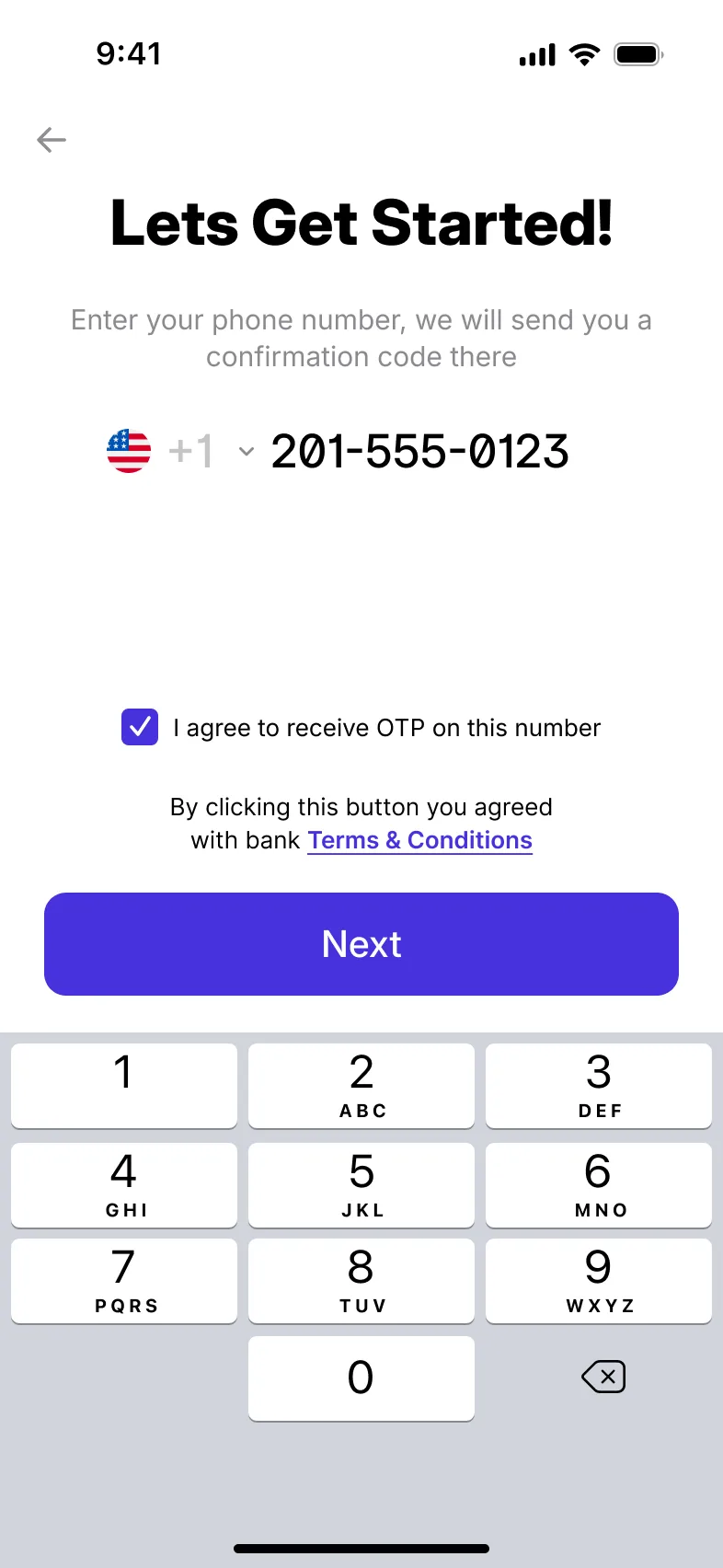
Users start with their local mobile number, confirm it with a one-time SMS code, and give the details your product asks for.
- Phone number and SMS code
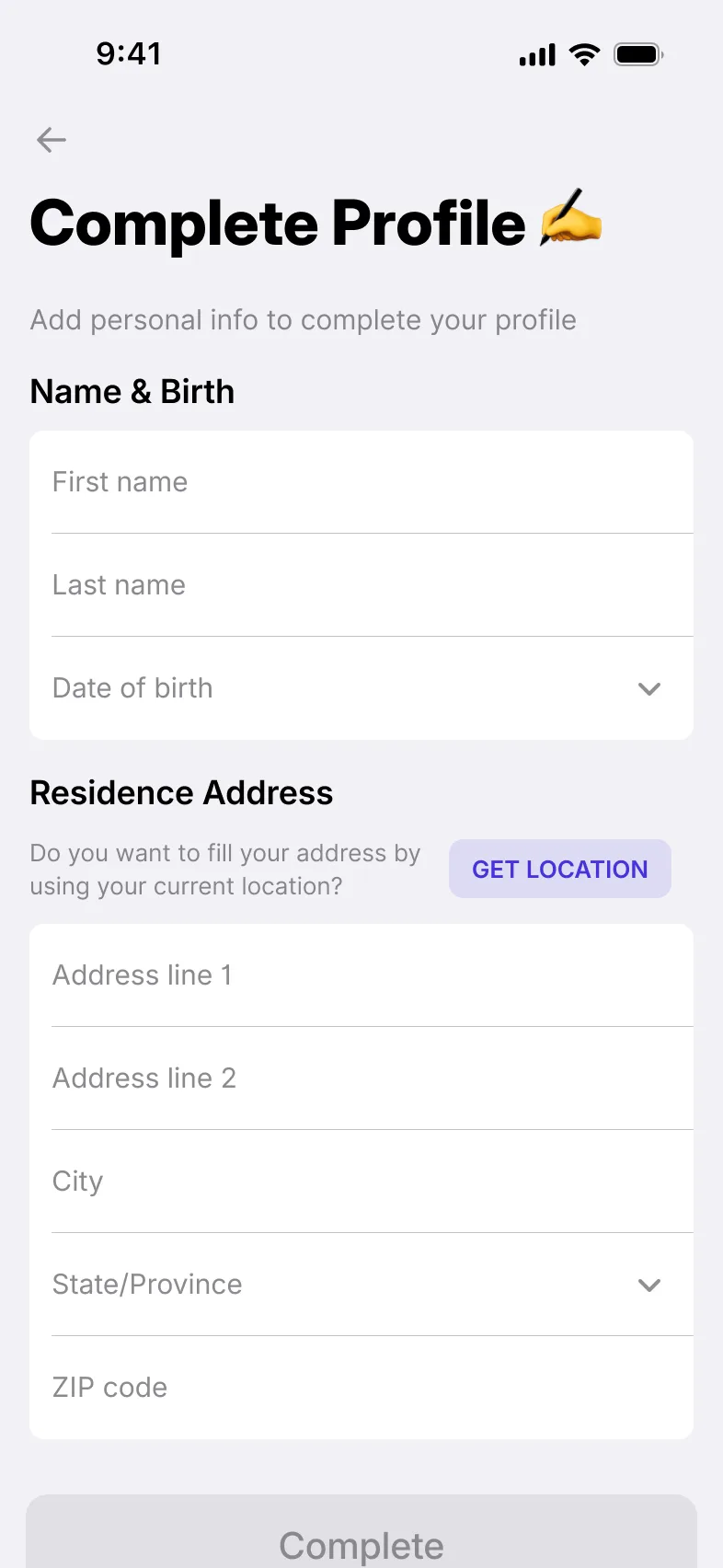
- Personal details, a financial questionnaire and your own fields
Onboarding with KYC and KYB built in: a journey you configure, your own checks before any paid external one, and the verification providers you choose.
How the journey works
Run the platform’s own KYC/KYB first and send only approved applications to an external provider. You keep full control of approval and pay for fewer expensive external checks. Tiers, statuses and the review queue are on the KYC/KYB Verification page.
Users start with their local mobile number, confirm it with a one-time SMS code, and give the details your product asks for.
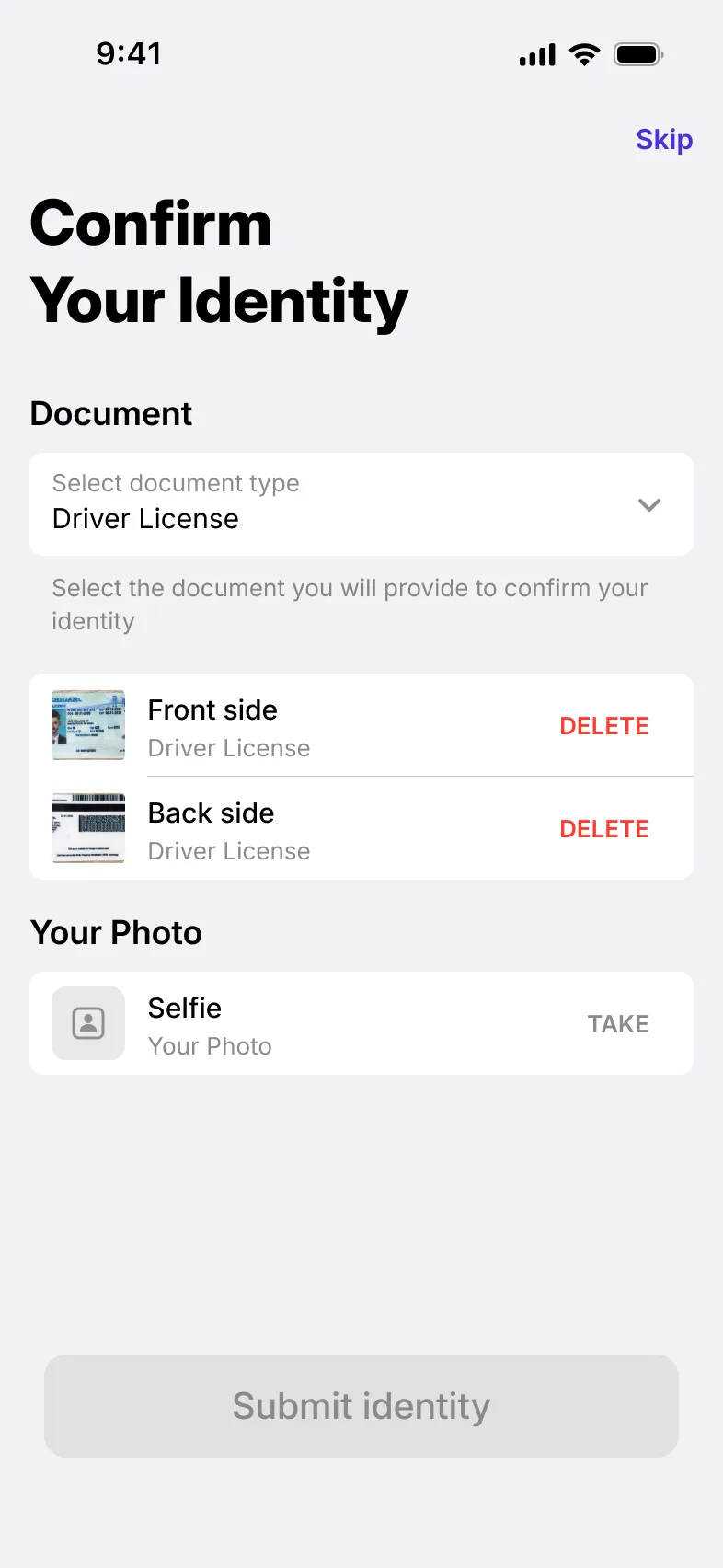
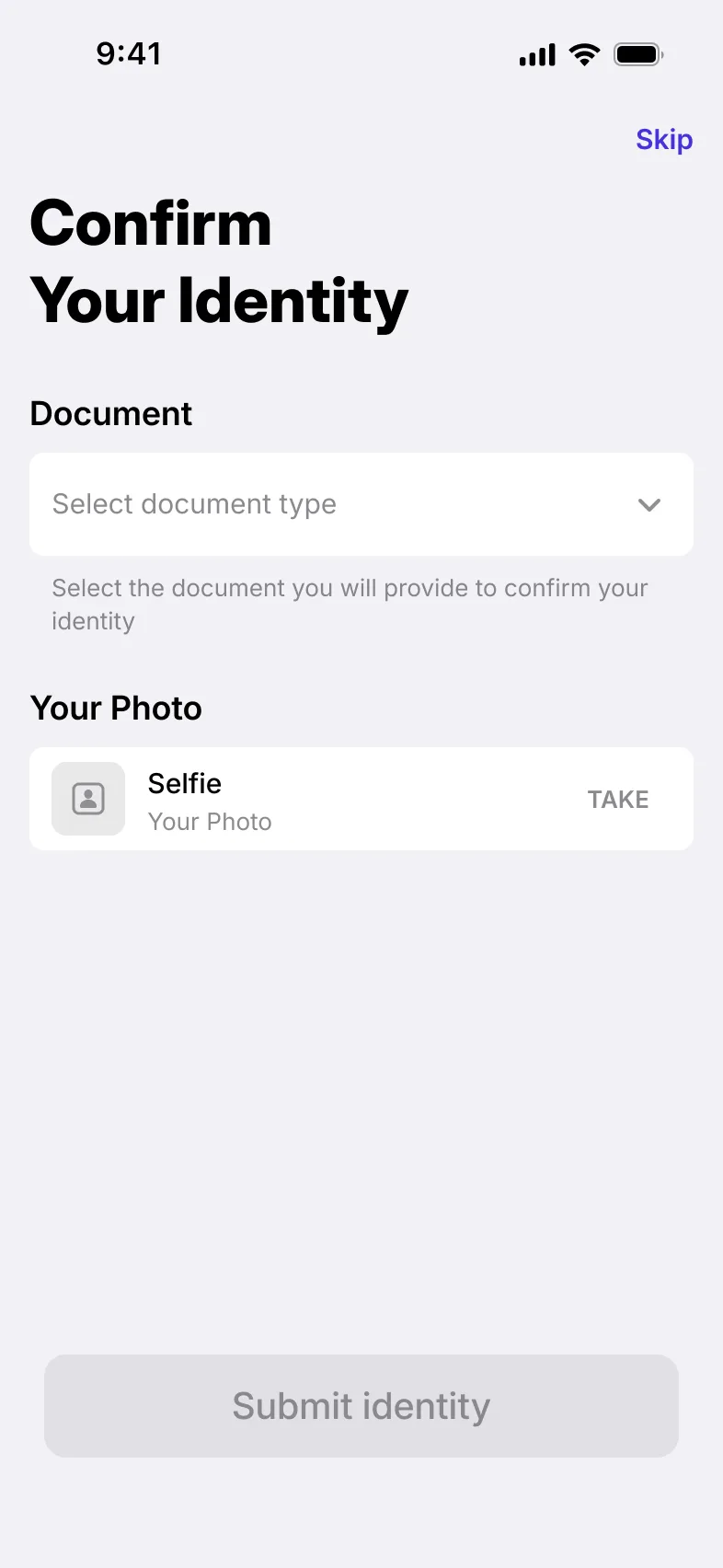
The platform has its own KYC and KYB. Individuals and businesses submit their identity data and documents inside the app, before any external provider is involved.
An application moves on when the rules you set approve it, or when a member of staff approves it in the back office.
Only applications that have passed your own checks go on to an external KYC/KYB provider, so you pay for external checks only when they count.
Built for your product
Each onboarding journey is set up for your product: the steps, the data it asks for, the forms and the rules that approve an application, with KYC for individuals and KYB for businesses.
Some changes need custom work at set-up. After that, much of the journey can be adjusted on the fly.
 Sumsub
 Onfido
 Twilio
 Infobip
 Vonage
 MessageBird
Connect a leading KYC/KYB provider such as Sumsub or Onfido, with AML screening such as ComplyAdvantage, or use the KYC/KYB of your EMI or BaaS partner. SMS codes go out through providers such as Twilio, Infobip and Vonage.
Working with a provider that is not on the list? It can be added.
Users invite friends or colleagues by phone number, or share an invitation as a link, an SMS or an email, whichever suits the person they invite.
In the business app, a referral programme lets businesses bring new users onto your product.
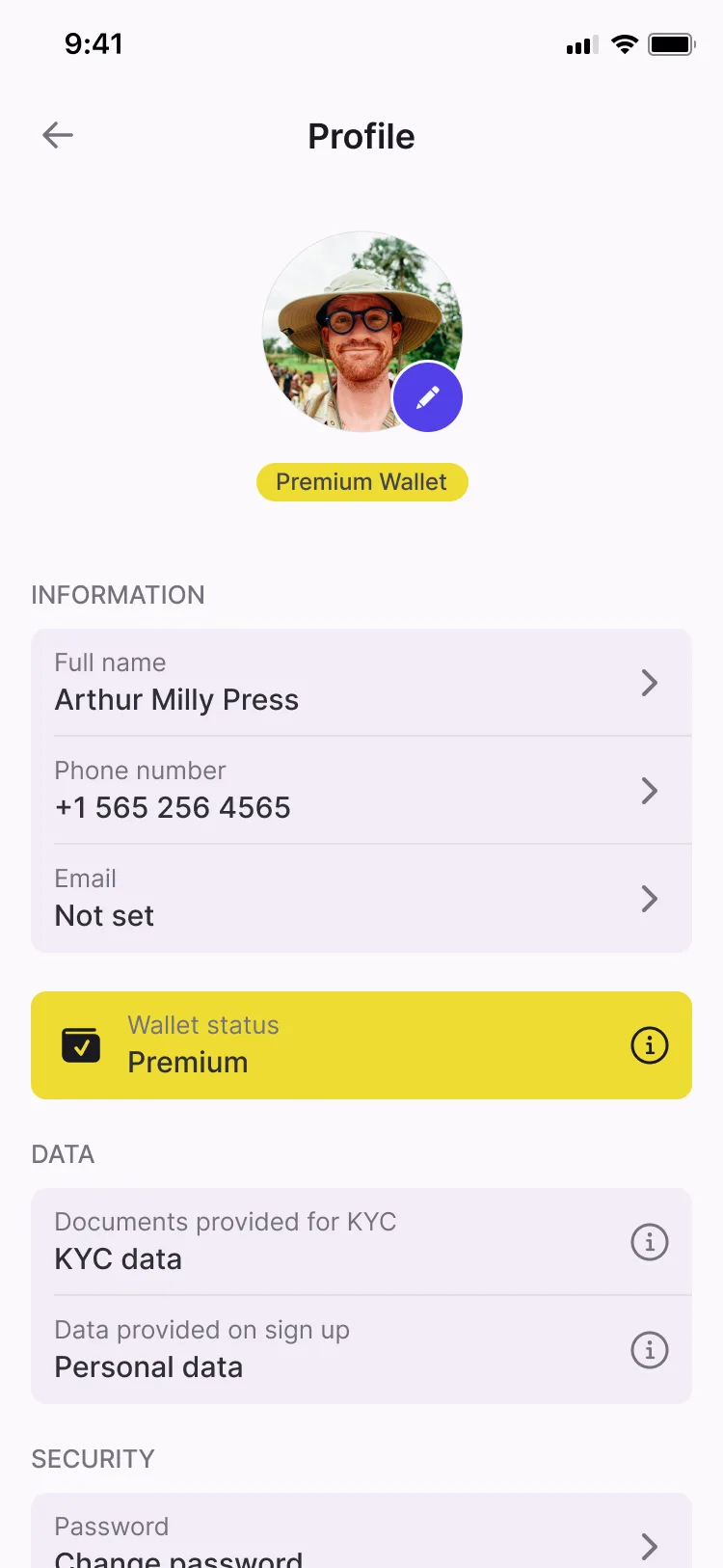
The data given at sign-up stays visible in the user’s profile, where they can update it, add an email address and set a profile photo.
Session management and log-out sit alongside it in the individual app.
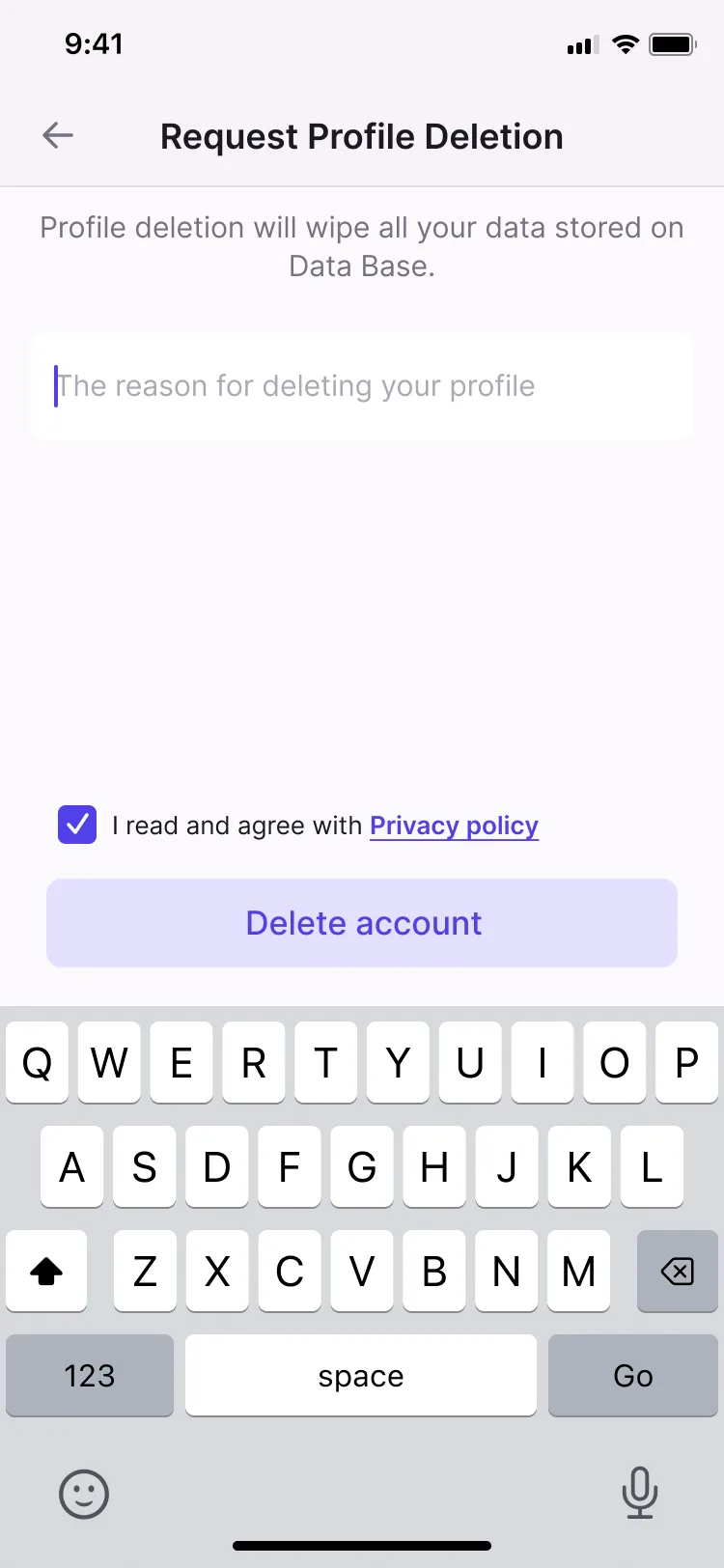
Users can delete their account from inside the individual app. Apple and Google both require this of apps that let people create an account, so it is ready before your first store review.
Checklist
Where each one is available. The full feature list covers every module.
| Feature | Individual app | Business app |
|---|---|---|
| Sign-up with a local phone numberUsers create an account with their local mobile number, the identifier they already use every day. | Individual appAvailable | Business appAvailable |
| SMS OTP verificationA one-time code sent by SMS confirms that the user owns the number they signed up with. | Individual appAvailable | Business appAvailable |
| Test OTP for demos and app-store reviewA test code path lets demo and review accounts complete sign-up without a live SMS. | Individual appAvailable | Business appAvailable |
| Invite users by phoneUsers invite friends or colleagues by entering their phone number in the app. | Individual appAvailable | Business appAvailable |
| Invite users by link, SMS or emailUsers share an invitation as a link, an SMS or an email, whichever suits the person they invite. | Individual appAvailable | Business appAvailable |
| Referral programmeA referral programme in the business app, so businesses can bring new users onto the product. | Not available | Business appAvailable |
| Customisable onboarding dataChoose the data collected during onboarding, so sign-up asks for what your product and compliance team need. | Individual appAvailable | Business appAvailable |
| Personal details: name, date of birth, addressSign-up collects the user’s first and last name, date of birth and address. | Individual appAvailable | Business appAvailable |
| Financial questionnaireA questionnaire during sign-up gathers the financial information your compliance team asks for. | Individual appAvailable | Business appAvailable |
| Customisable formsSign-up forms can be customised with the fields and questions your product needs. | Individual appAvailable | Business appAvailable |
| Profile data collected at sign-upThe data a user gave at sign-up stays visible to them in their profile. | Individual appAvailable | Not available |
| Profile data managementUsers view and update their own profile data from inside the app. | Individual appAvailable | Not available |
| Email addressUsers add an email address to their profile alongside their phone number. | Individual appAvailable | Not available |
| Profile photoUsers set a profile photo for their account. | Individual appAvailable | Not available |
| Account deletionUsers delete their account from inside the app, as Apple and Google require of apps with sign-up. | Individual appAvailable | Not available |
Case studies
Related modules

Verification tiers, statuses and permissions, an external KYC provider and a back-office review queue.

The providers behind the product, connected and managed from the back office.

Passwords, PINs, security questions, self-service access recovery and session control.
From the blog
Yes. The platform has its own KYC for individuals and KYB for businesses, and connects to external providers for further checks. Verification tiers, statuses and the back-office review queue are covered on the KYC/KYB Verification page.
Leading providers such as Sumsub and Onfido, with AML screening such as ComplyAdvantage, or the KYC/KYB of your EMI or BaaS partner. If you work with another provider, it can be added.
Yes. Onboarding can be multi-level: the platform’s own KYC/KYB runs first, and an application goes to the external provider only after your rules or your team approve it. You keep control of approval and pay for fewer expensive external checks.
Yes, much of it. Some changes need custom work when onboarding is set up, but after that many parts of the journey, such as the data it asks for and the forms, can be adjusted on the fly.
In the individual and business apps, users sign up with a local phone number confirmed by an SMS one-time code. In the individual app they can then add an email address to their profile. Back-office staff sign up and sign in by email.
Yes. Account deletion is available in the individual app, alongside profile data management.